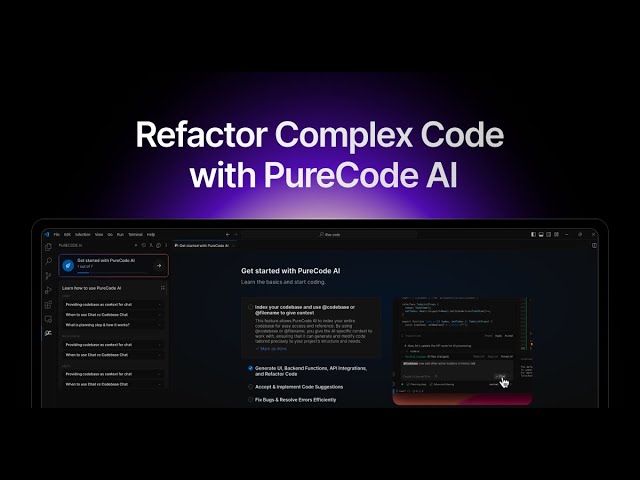
Your AI coding agent in VS Code & the cloud
The PureCode extension modernizes your .NET, Java & C++ codebase right inside VS Code. Purecode AI Studio ships the changes with autonomous cloud agents - plan, build, test, and pull request from a single chat.
100+ enterprise teams·12,000+ developers·100M+ lines of code every month
Trusted by engineering teams worldwide








How PureCode works
One agent engine.
Two surfaces. Zero compromise.
Exploration subagents, team-shared instructions, and autonomous execution — available in your IDE and in the cloud.
01
Discover
AST call-graph exploration
02
Govern
Team rule synchronization
03
Execute
Dual-surface agent run
04
Deliver
Verified PR & deployment
Your AI pair programmer, right in the editor.
Exploration subagents map your entire codebase by intent. Team-shared instructions keep every suggestion on your standards. Checkpoints let you rewind instantly - all without leaving VS Code.
1,000+ file codebases
Mapped by AST call graph
Framework rule enforcement
From team-shared instructions
Per-message checkpoints
Instant workspace restore
MCP, Skills & Rules
Extend the agent yourself
Exploring codebase
Getting repo map
Grepped ServiceContract|WcfService|Startup… , 50 results
Planning next moves
Gathering more context
Read 5 files
Migration analysis complete. Replaced legacy WCF ServiceContract with modern C# Web API controllers.
1. Controller Migration OrderController
[ApiController]
public class OrderController
async Task<ActionResult> Get(…)
Chat with your Codebase: Plan, Search, Describe and Build
Autonomous agents. Cloud-native delivery.
Connect your GitHub repo in AI Studio, describe what needs to change, and watch a multi-agent pipeline clone, refactor, test, and ship a verified pull request - all in an isolated cloud sandbox.
Isolated Linux sandboxes
No local compute consumed
Multi-agent orchestration
routerAgent → codingAgent → gitAgent
Real-time streaming
Every tool call, as it runs
GitHub-native delivery
Branches, commits, and PRs
What should we build today?
PLAN
1. Create Sandbox: Establish standard TypeScript sandbox environment.
2. Scaffold React Vite App: drag-and-drop board engine with src/components/Board.tsx.
3. Verify and Build: Validate code with validateAndFixCode, fix issues as needed.
EXECUTION
Create Board Component
applyFilePatch completed successfully
Port detected: 5173
Terminal execution progress
Ask me to build an app...
Summary
Update App.tsx to orchestrate board state, drag-and-drop events, task filters, and the sprint progress overview
Changes
1 -
import { useState, useEffect } from 'react';
import { Board } from './components/Board';
import { TaskCard } from './components/TaskCard';
import { useDragDrop } from './hooks/useDragDrop';
VS Code extension
Everything the agent brings to your editor.
Chat, Agent, and Spec modes are only the surface. Underneath, the PureCode extension ships the full set of capabilities an enterprise agent needs — all in VS Code, all under your control.
The agent keeps its own memory of your repo
The agent writes project memory to plain files in your repo — decisions, conventions, and context it recalls automatically in every future session.
Nothing is hidden in a vendor database. Memory is reviewable, diffable, and commits alongside the code it describes.
Exploration subagents map the repo before it edits
Subagents fan out in parallel — mapping the repo, walking call hierarchies, and resolving imports before a single line is edited.
Each returns a summary rather than a transcript, so the main agent stays focused on the change you actually asked for.
Nothing runs without your approval
Every tool call is permission-gated — approve single runs, ask every time, or auto-approve the tools you trust.
Rules are per project and per tool, so a repo you are exploring never inherits the permissions of one you own.
Checkpoints at every message, revert at any point
Workspace state is snapshotted at every message — diff the changes or restore any point when an agent edit goes sideways.
You are never one bad turn away from a dirty tree, which is what makes it safe to let the agent try the ambitious version first.
Revert code changes while keeping AI messages.
Remove messages, but keep the generated code.
Revert code and remove history completely.
Bring your own tools over MCP
Plug external tools and data sources into the agent over Model Context Protocol — stdio commands, SSE, or streamable HTTP servers.
Your issue tracker, your internal APIs, your database. The agent uses them the same way it uses the terminal.
Spec mode turns an intent into tracked tasks
Spec mode plans first — requirements and architecture broken into incremental tasks the agent tracks to completion.
You review the plan while it is still cheap to change, then watch it get executed task by task.
Also in the extension
Seven more capabilities, in the same install and under the same controls.
Indexing Preferences
Normal and Advanced indexes built with local embedding models. Pick your files; zero data leaves your machine.
Custom Instructions & Rules
Global rules, project rules, and team-shared instructions keep every AI response aligned with your engineering standards.
File Protection Manager
Mark credentials, config, and private code off-limits. Protected files cannot be read, modified, or repo-mapped by the agent.
Skills Management
Reusable skill folders with executable scripts, loaded on demand and scoped globally or per project.
AST Code Intelligence
Recursive Symbol Explorer walks call hierarchies; Import Usage Resolver traces imports and flags circular dependencies.
Docs & UI Docs Indexes
Index framework docs and UI component libraries so answers cite the exact APIs your project uses.
Error Solving
Error Lens surfaces problems inline; the agent reads diagnostics and terminal output to fix them at the source.
GitHub-native cloud agents
From your repo to a pull request.
Connect a GitHub repo in Purecode AI Studio, describe the change, and watch the agent clone, edit, verify, and open the PR - every step streamed live.
Select repository
purecode/web-app
TypeScript · updated 2h ago
purecode/api-server
C# · updated 1d ago
purecode/billing-service
Java · updated 3d ago
Pull Request Created
#42 · fix/checkout-totalmain
Agent Execution Logs
src/services/CheckoutService.cs
- var total = subtotal * 1.08m;
+ var total = subtotal * taxRate;
$ dotnet test
Passed! · 42 tests · 0 failed
Instant cloud sandboxes
Isolated Linux environments spin up per task - agents build, test, and serve live previews with nothing installed locally.
Multi-agent orchestration
routerAgent, codingAgent, and gitAgent hand off work - routing intent, writing code, and shipping the branch autonomously.
Checkpoints & rollback
Every version is snapshotted as the agent works - restore to any point when an experiment goes sideways.
0+
Enterprise teams
0+
Developers
0M+
Lines of code / month
Enterprise modernization
Supercharge your legacy development.
Codes Like Your Senior Engineers, Only Faster
Smart suggestions that follow your enterprise coding standards and conventions. Trained on enterprise patterns, fluent in C#, ASP.NET Core, Java, Spring Boot, Entity Framework, and your custom frameworks.
Enterprise Security, Zero Data Risk
Your code never leaves your environment. PureCode Enterprise runs locally or in your secure cloud, with zero data retention and no training on your proprietary applications.
Transform Legacy Development Velocity
From .NET Framework, Java Spring Boot, VB.NET, and COBOL modernization to modern microservices architecture. PureCode AI accelerates every step of enterprise development - from planning to deployment.
Enterprise-Scale Collaboration
Move beyond individual AI assistants. Use shared solution intelligence and team prompts to ensure consistent, high-quality code across every stack your enterprise runs - .NET, Java, or mainframe.
What can PureCode AI do for you? Nine walkthroughs inside a real codebase.