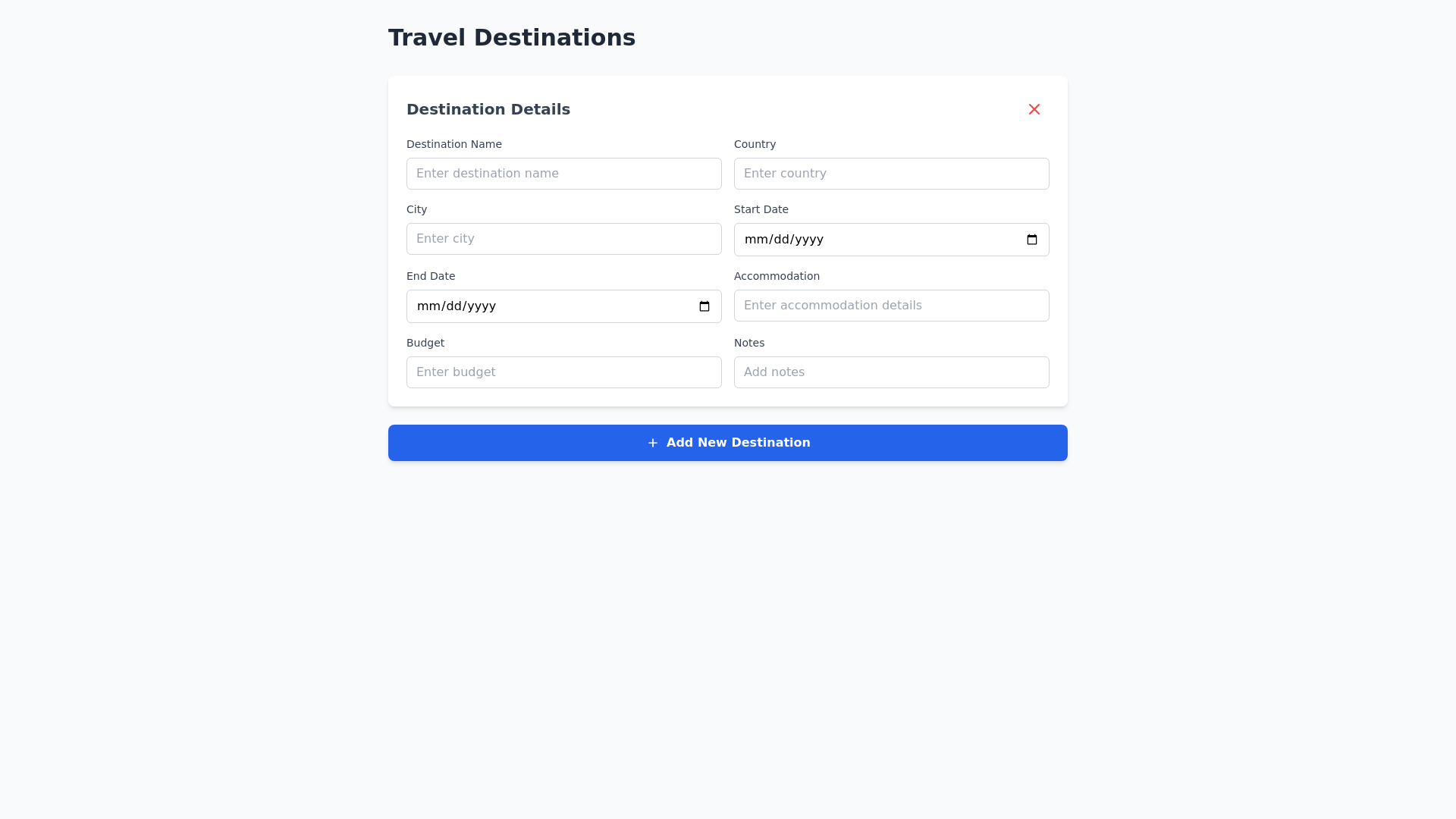
Destinations Dashboard Component - Copy this Html, Tailwind Component to your project
Act-as-an-interface-designer-specialized-in-minimalist-and-functional-dashboards.-Your-goal-is-to-create-an-intuitive,-stylish,-and-clean-design-for-a-section-called-"Destinations"-within-a-dashboard.-The-design-should-prioritize-simplicity-and-ease-of-use,-following-these-guidelines-and-features:-###-Design-Guidelines-1.-**Minimalist-Visual-Style**:---Use-subtle,-harmonious-colors-with-proper-contrast-to-highlight-fields-and-action-buttons.---Prefer-simple,-readable,-modern-typography-that-blends-well-with-the-rest-of-the-dashboard.---The-layout-should-be-clear-and-avoid-distractions,-keeping-the-user's-focus-on-the-main-function-of-the-screen.-2.-**Usability-and-Navigation-Ease**:---Structure-the-fields-to-guide-the-user-through-a-logical-sequence,-with-clear-and-consistent-labels-for-each-field.---Add-instructions-or-placeholders-in-the-fields-to-guide-the-user-on-what-information-to-input.---Position-the-"+"-(add-destination)-and-"-"-(remove-destination)-buttons-intuitively,-near-the-fields-or-group-of-fields-related-to-the-destination.-###-Specific-Features-3.-**Input-Fields-(8-fields-per-destination)**:---Each-destination-should-display-8-identical-input-fields,-which-may-include-fields-like:-Destination-Name,-Country,-City,-Start-Date,-End-Date,-etc.-(adjust-as-needed-for-the-dashboard).---The-fields-should-be-organized-in-a-cohesive-layout,-allowing-easy-comprehension-and-entry.-4.-**Add-and-Remove-Destination-Actions**:---The-"+"-button-should-be-placed-prominently,-next-to-or-above-the-fields,-to-facilitate-adding-new-destinations.---The-"-"-button-should-appear-near-the-fields-of-a-specific-destination,-allowing-the-user-to-easily-remove-that-particular-block.---A-new-destination-added-by-clicking-the-"+"-button-should-follow-the-same-design-and-structure-as-the-previous-destination,-ensuring-consistency.-5.-**Behavior-and-Responsiveness**:---The-layout-should-be-responsive,-adapting-well-to-different-screen-sizes.---When-adding-a-new-destination,-the-fields-should-appear-smoothly-without-causing-the-user-to-lose-focus.---The-interface-should-include-visual-feedback,-such-as-color-changes-or-shading-on-the-buttons-when-clicked.-###-Example-Flow-Imagine-the-following-flow:-1.-The-user-fills-in-the-8-fields-for-one-destination.-2.-They-click-the-"+"-button-to-add-a-new-destination,-and-the-8-fields-appear-right-below,-ready-to-be-filled.-3.-If-they-want-to-remove-a-destination,-they-click-the-"-"-button-corresponding-to-that-block-of-fields.-Remember:-keep-the-design-clean,-intuitive,-and-with-a-sleek,-professional-look.-Focus-on-simplicity-to-make-the-user-experience-pleasant-and-efficient.-Take-a-deep-breath-and-begin-working-on-the-design-step-by-step-to-ensure-the-best-usability-and-aesthetics.