Question Types - Copy this React, Tailwind Component to your project
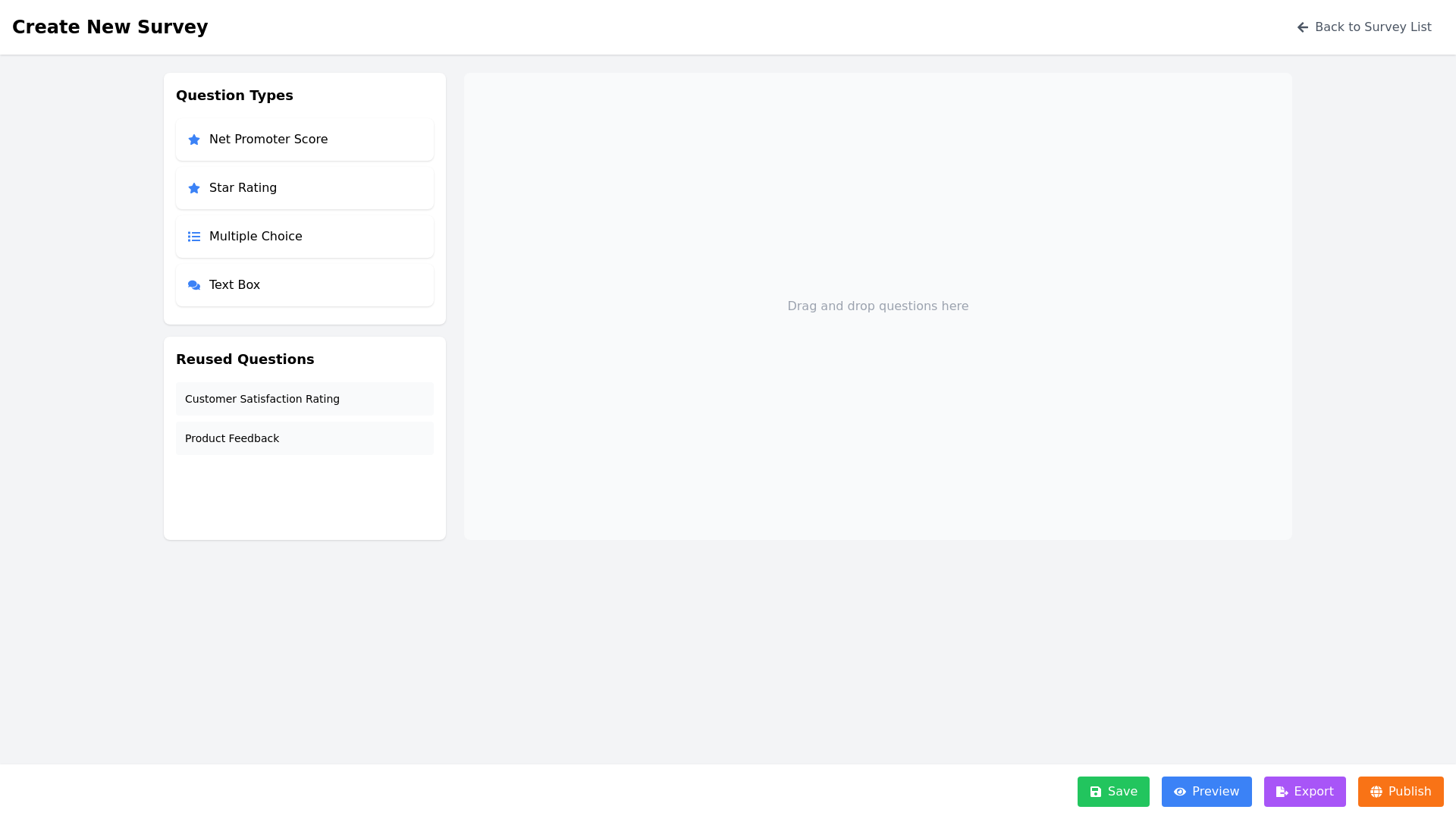
2.-Interface-Requirements-Main-Layout-Header-Displays-a-title-such-as-"Create-New-Survey".-Includes-a-navigation-bar-to-go-back-to-the-survey-list-page.-Survey-Builder-Uses-the-SurveyJS-library-to-create-an-interactive-drag-and-drop-UI-for-building-surveys.-Provides-a-list-of-question-types-for-users-to-choose-from:-Net-Promoter-Score-(NPS):-A-scale-based-question.-Rating:-A-star-based-or-satisfaction-level-rating.-Multi-choice:-Multiple-choice-questions-with-selectable-answers.-Text-Box:-Open-ended-text-input.-Includes-real-time-Preview-to-show-how-the-survey-looks-after-editing.-Reusing-Questions/Surveys-Displays-a-list-of-existing-surveys-or-question-banks-for-users-to-drag-or-select-for-reuse-in-the-current-survey.-Action-Bar-Contains-the-following-buttons:-Save:-To-save-the-current-survey.-Preview:-To-view-the-full-survey-in-a-preview-mode.-Export:-To-export-the-survey-in-a-chosen-format-(e.g.,-JSON).-Publish:-To-publish-the-survey-for-users-to-respond-to.-Mockup-Description-Using-SurveyJS-Header-At-the-top-of-the-interface,-a-simple-bar-displays-the-title-"Create-New-Survey"-on-the-left-and-a-back-button-(e.g.,-a-left-arrow)-on-the-right.-Survey-Builder-Section-The-main-body-of-the-interface-is-divided-into-two-parts:-Question-Toolbox-(Left-Panel):-Displays-draggable-question-types-like-NPS,-Rating,-Multi-choice,-and-Text-Box.-Survey-Canvas-(Right-Panel):-A-blank-canvas-where-users-can-drop-and-configure-their-selected-question-types.-Preview-Pane-A-collapsible-or-side-by-side-panel-to-display-the-survey-preview-instantly.-Reused-Questions/Surveys-Section-Below-the-question-toolbox,-a-scrollable-list-of-reusable-questions-or-surveys-is-available.-Action-Bar-At-the-bottom,-an-always-visible-bar-contains-Save,-Preview,-Export,-and-Publish-buttons.