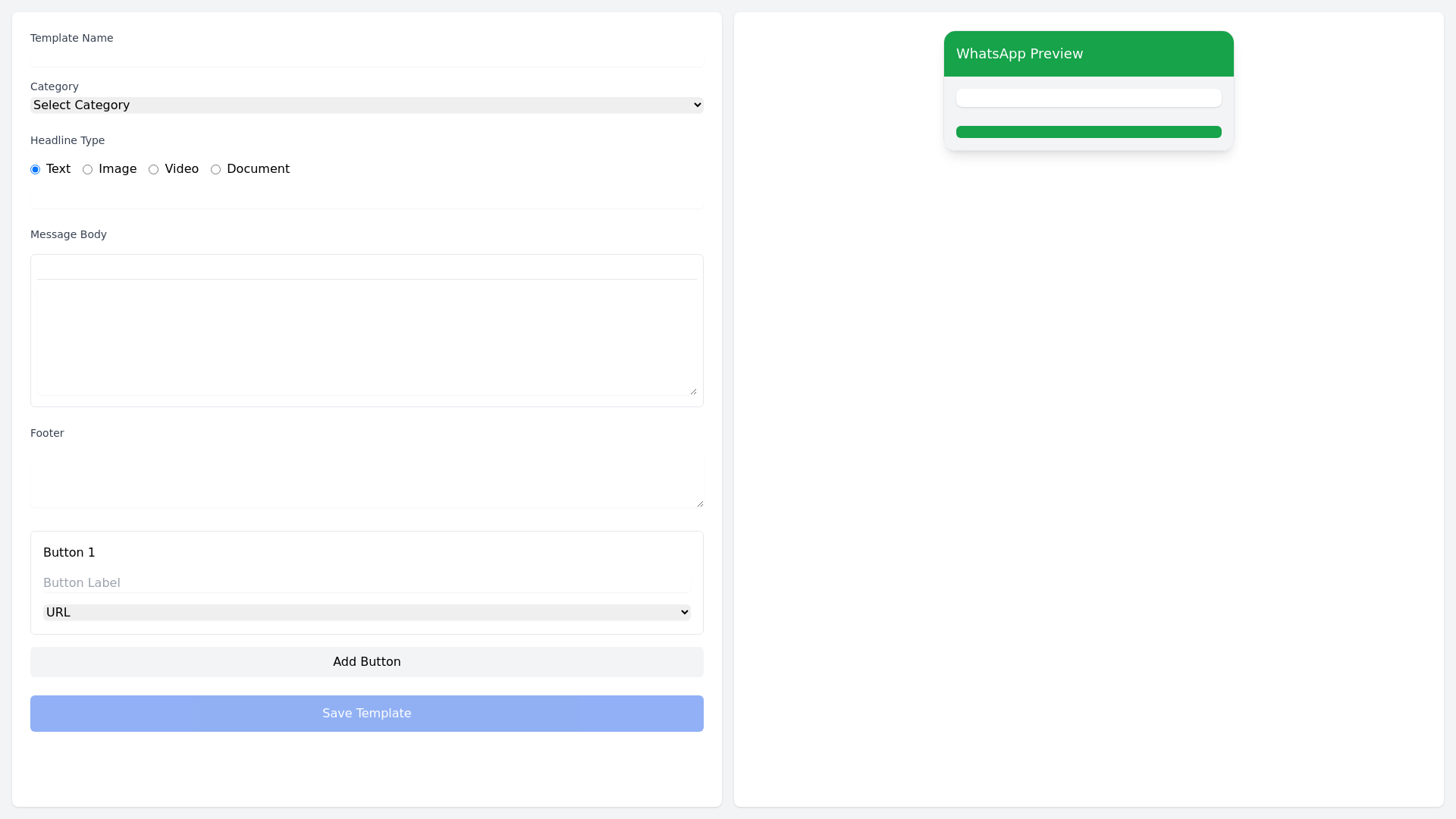
Whats App Template Creator - Copy this Angular, Tailwind Component to your project
Okay, here's a breakdown of how to develop a WhatsApp template creation interface based on the provided requirements and the image analysis: **1. Core Components** * **Template Name & Category:** * A text field for entering the template name. * A dropdown menu for selecting a category (e.g., Marketing, Sales, Support, Announcements, Utility). * **Headline (Optional):** * Radio buttons to select the headline type: * Text: A simple text input field. * Image: An image upload button and preview. * Video: A video upload button and preview (consider supporting various video formats). * Document: A file upload button and preview (consider supporting relevant document formats). * **Message Body:** * A rich text editor with features like: * Bold, italics, underline, strikethrough, and highlighting options. * Bullet points and numbered lists. * Emoji support. * Variable insertion (e.g., {{customer_name}}, {{order_id}}) with a list of available variables. * Image and video insertion with previews. * **Footer (Optional):** * A text area for adding a footer with disclaimers, copyright information, or a call to action. * **Buttons:** * A section to add clickable buttons with the following options: * **Button Type:** URL, Copy Code, Quick Reply. * **Button Label:** A text input field for customizing the button label. * **Button Action:** * For URL buttons: Link to a website. * For Copy Code buttons: Specify the text to be copied to the clipboard. * For Quick Reply buttons: Define the text of the quick reply option. * **Quick Replies:** * A section to add multiple quick reply options for user interaction. * Each quick reply should have a label and a corresponding action (e.g., "Yes," "No," "Learn More"). **2. Template Preview** * **Mobile Device Simulation:** Display a preview of the template on a simulated mobile device screen. * **WhatsApp UI Patterns:** Ensure the preview accurately reflects the appearance of WhatsApp messages, including message bubbles, sender information, and button styles. * **Real time Updates:** The preview should dynamically update as the user makes changes to the template. **3. Template Management** * **Template Library:** Implement a system for organizing and managing templates, such as: * A list view of all created templates. * Filtering and sorting options (by name, category, date created). * Search functionality to quickly find specific templates. * **Template Actions:** * Edit existing templates. * Duplicate existing templates. * Delete templates. **4. User Interface (UI) and User Experience (UX)** * **Clean and Intuitive Design:** Use a clean and intuitive interface with clear labels, visual cues, and easy navigation. * **Responsive Design:** Ensure the interface is responsive and adaptable to different screen sizes. * **Error Handling:** Implement clear and helpful error messages to guide users. * **Accessibility:** Design the interface to be accessible to users with disabilities.